
Tips & Technology
⚠️ Security Warning
Please take care when downloading anything from the internet. Only use trusted sites and ensure you un-tick options to install unwanted third-party software. When installing programs, verify you are getting what you want and do not click on “PC Scanners” or unsolicited speed tests.
YouTube Resources

Uploading to YouTube
A comprehensive guide provided by our friends at Surrey Border Movie Makers on the best ways to export and upload your films.
Browser Tools (Firefox Recommended)
During club presentations, Howard discussed the following useful Firefox-only add-ons:
-
YouTube Ad-Blocker: Remove annoying interruptions while researching films.
Visit Adblock Plus -
Video Downloader: Download videos directly to your desktop for study or archive.
Visit Video DownloadHelper
Imaging & Photography Tools
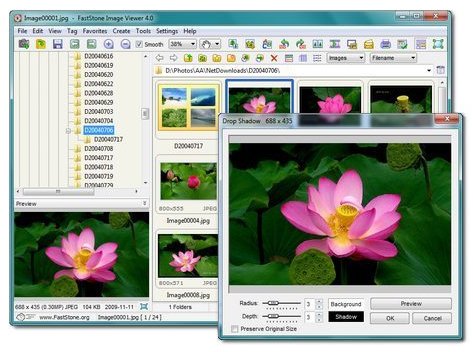
FastStone Image Viewer
A club favorite for its speed and versatility. It is a quick and simple way to view, compare, and manage pictures on your computer.
Key Features: Red-eye removal, resizing, cropping, color adjustments, and support for all major graphic and RAW camera formats.
Found a broken link or have a tip to share? Please contact Ian or Paul.